 |
CriWare Unreal Engine
Plug-ins for CriWare solutions.
|
|
CriWare Unreal Engine
Plug-ins for CriWare solutions.
|
The technique to analyze and obtain amplitude peak values over a playing sound is called Envelope Following.
An envelope follower is a DSP module that tracks the amplitude of an incoming signal and translates changes into a level value. This value can then be used to modulate various parameters within the scene like effect parameters, material parameters, object size and so on...
There is three envelope following ways in ADX plugin.
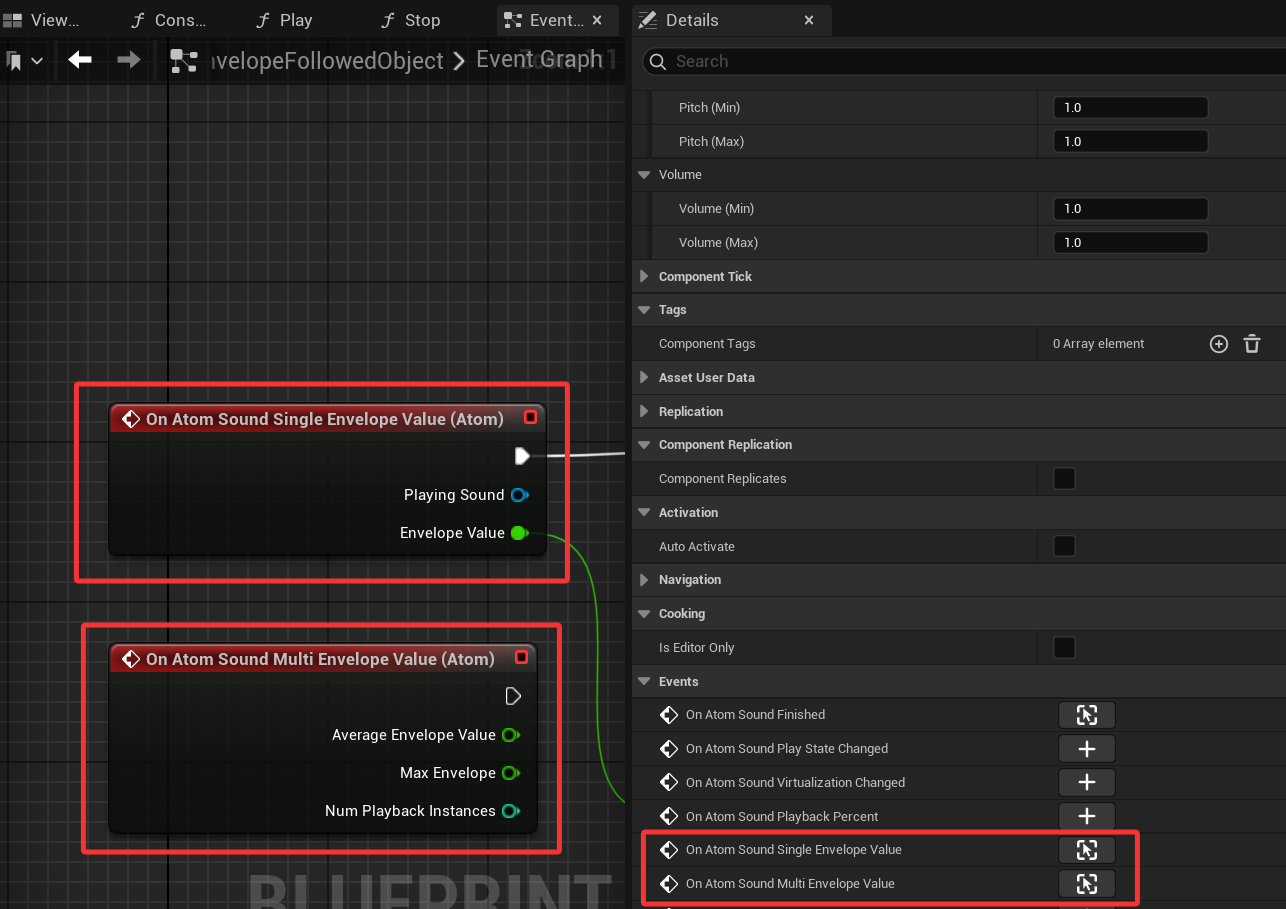
AtomComponent includes properties to setup the enveloppe follower of the source and obtain amplitude value with delegates.
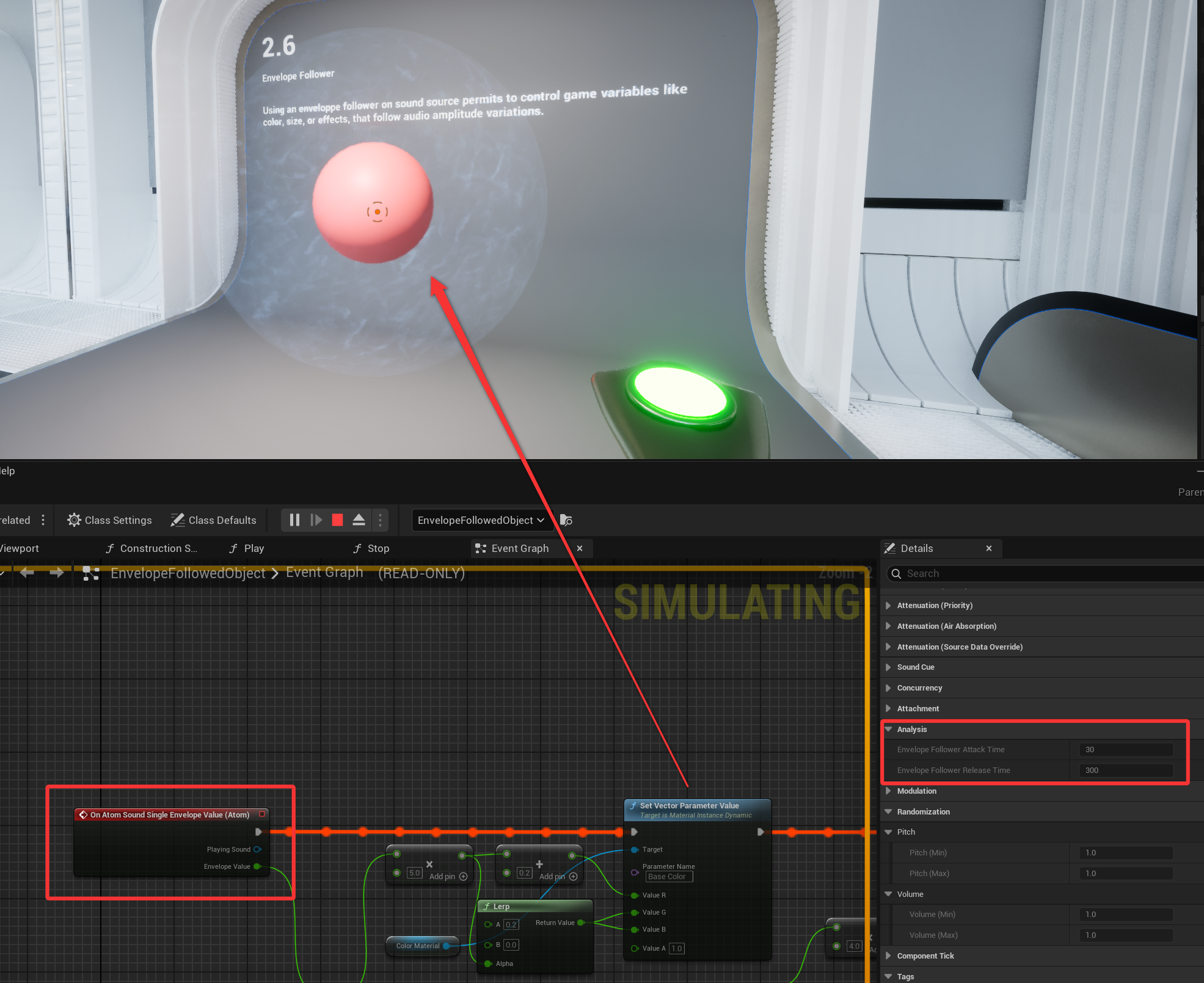
Detail panel have an Analysis section that permits to setup the envelope follower control:
An enveloppe follower can be attached to an AtomBus from an AtomRack.
Then a delegate can de registered to the AtomBus to obtain envelope value for each speaker channel.
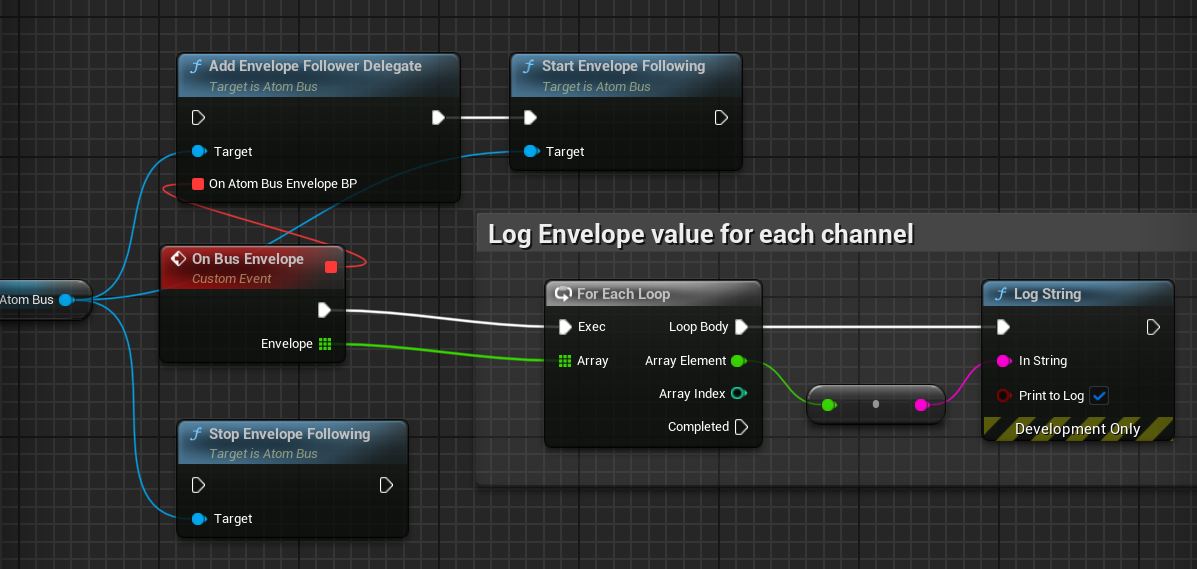
Enveloppe follower attack and release times can be set by Blueprint but also in the detail panel of the AtomBus.

The ADX modulation system offers an Envelope Follower Modulation Generator asset.
This modulation generator follow the amplitude of the PCM data passing througth a choosen AtomAudioBus and permits to control, by amplitude level value, any modulation destination like volume, pitch, filters, AtomBus effect parameters, AISAC controls...
By example an AtomBus can be attached to a sound source, then listened by the Envelope Follower Modulation Generator that can conrol the volume modulation destination of an other sound for a ducking effect (Lowering the volume of a sound when another sound goes louder).
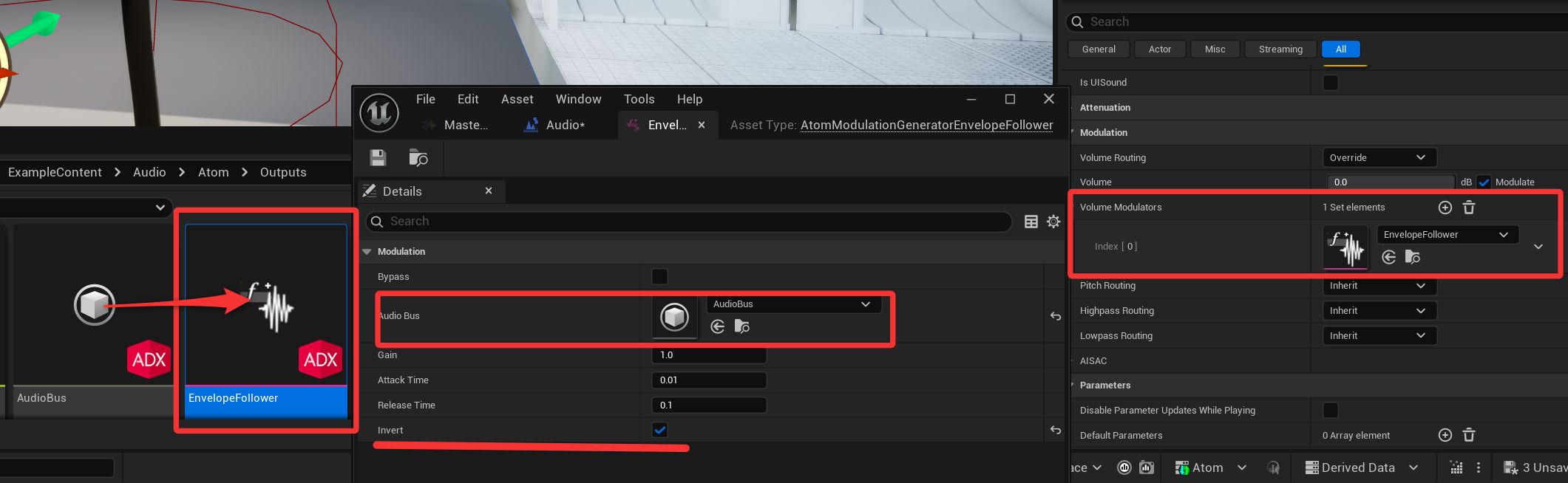
More complex automated control effect can also be acheived througth Modulation Control buses and mixer.
See AtomAudioBuses and AtomModulation system for more details.
 1.9.7
1.9.7