 |
CriWare Unreal Engine
Plug-ins for CriWare solutions.
|
|
CriWare Unreal Engine
Plug-ins for CriWare solutions.
|
When encoding any video file into a .usm file using tools such as Sofdec2EncWiz, there are limitations on the video's height or width for each codec.
| Sofdec.Prime | H.264 | VP9 |
|---|---|---|
| multiples of 8 | multiples of 4 | multiples of 2 |
If these restrictions are encountered, the image size of the video will be expanded so that it does not violate the codec restrictions.
A workaround for extended areas due to limitations in the Sofdec tool is to use a material to hide the extended areas.
This is achieved by comparing the vertical or horizontal width before and after expansion.
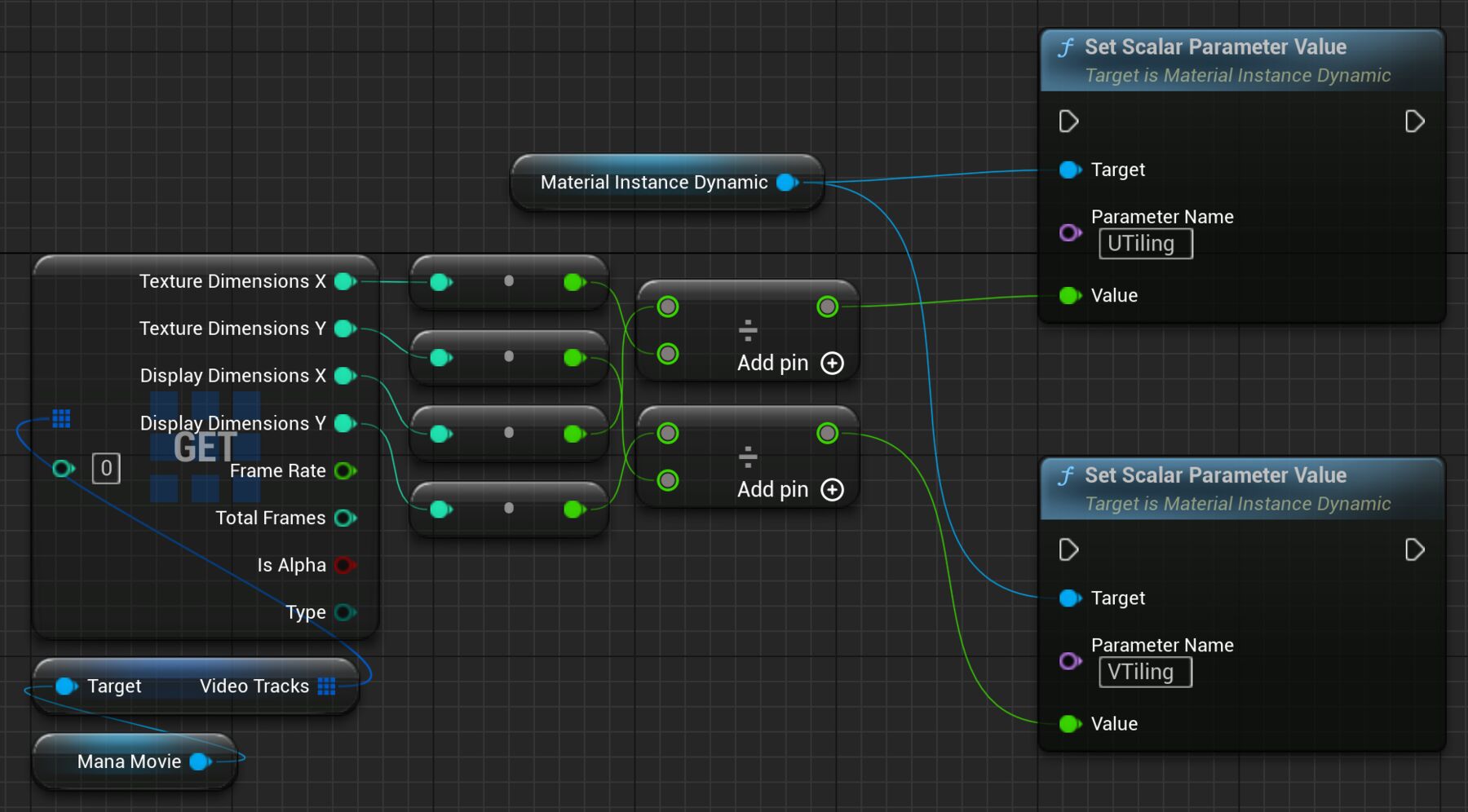
These values can be obtained from the FManaVideoTrackInfo structure held by the UManaMovie class.
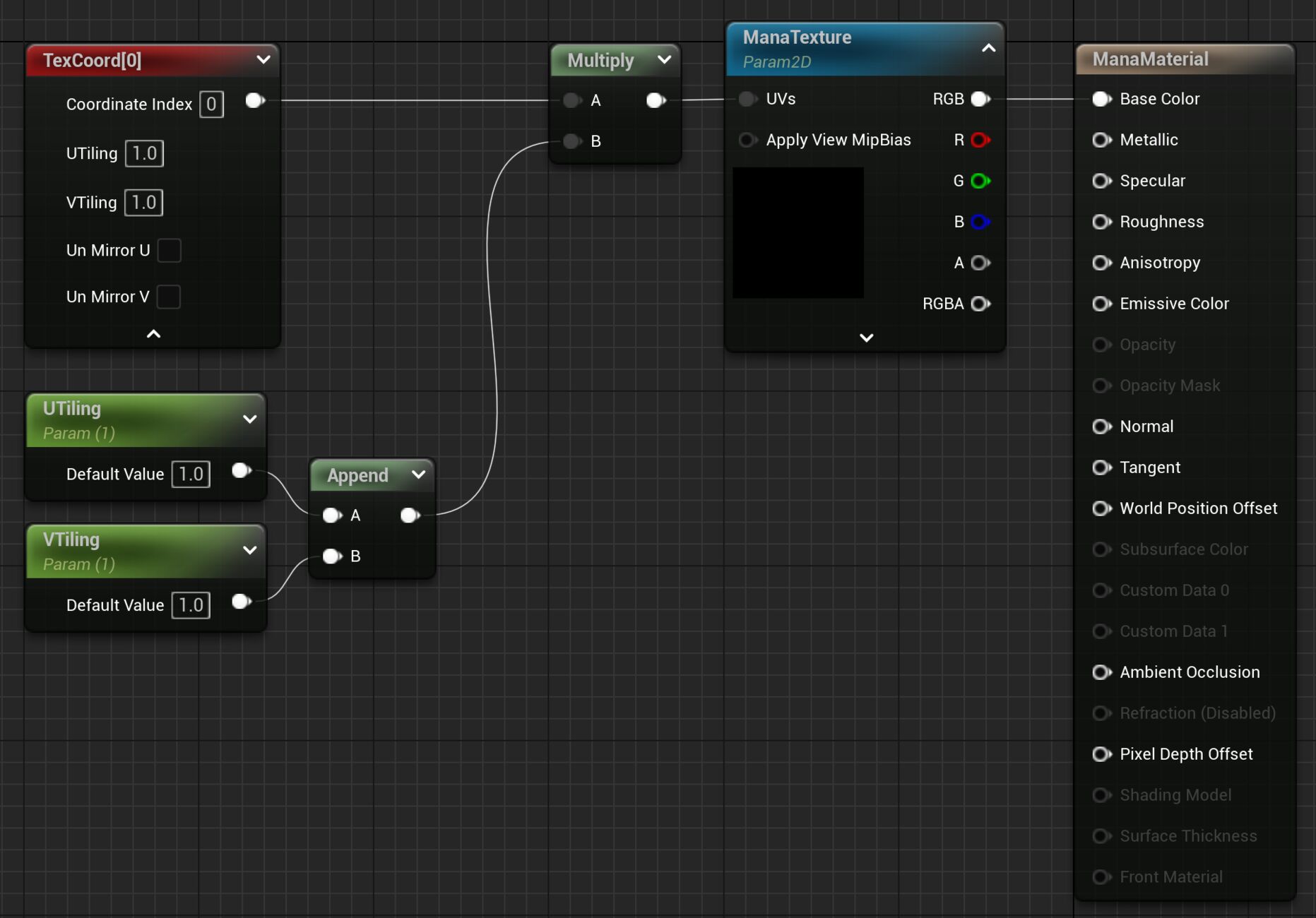
Use a Scalar Parameter (UTiling / VTiling) to set the texture's UV values externally. The parameters will be used as the UV values for the referenced texture.
Gets video track information from a UManaMovie object.
From this information, we calculate the percentage of the video image size that is taken up by the video display size. (= Display Dimensions / Texture Dimensions) Set the parameters in the UMaterialInstanceDynamic object created based on the material implemented in "Implementing the Material" above.
If no action is taken, black will be seen at the edges of the drawing.

By taking action, you can display the video in its original appearance.


THIS SERVICE MAY CONTAIN TRANSLATIONS POWERED BY GOOGLE. GOOGLE DISCLAIMS ALL WARRANTIES RELATED TO THE TRANSLATIONS, EXPRESS OR IMPLIED, INCLUDING ANY WARRANTIES OF ACCURACY, RELIABILITY, AND ANY IMPLIED WARRANTIES OF MERCHANTABILITY, FITNESS FOR A PARTICULAR PURPOSE AND NONINFRINGEMENT.
 1.9.7
1.9.7