 |
CriWare Unreal Engine
Plug-ins for CriWare solutions.
|
|
CriWare Unreal Engine
Plug-ins for CriWare solutions.
|
Atom Cue Sheet asset hold ACB data when importing ACB file.
An Atom Cue Sheet is a collection of Atom Cues that can be played individualy with an Atom Component.
Atom Cue Sheet and Cues are designed in CRI Atom Craft by designers.
Cue have sound wave data and binariy logic to interactively play a sound using a logic from a playback timeline, sequence logic or external events and values.
When you open an Atom Cue Sheet asset in Content Browser you open the Sound Bank Browser:
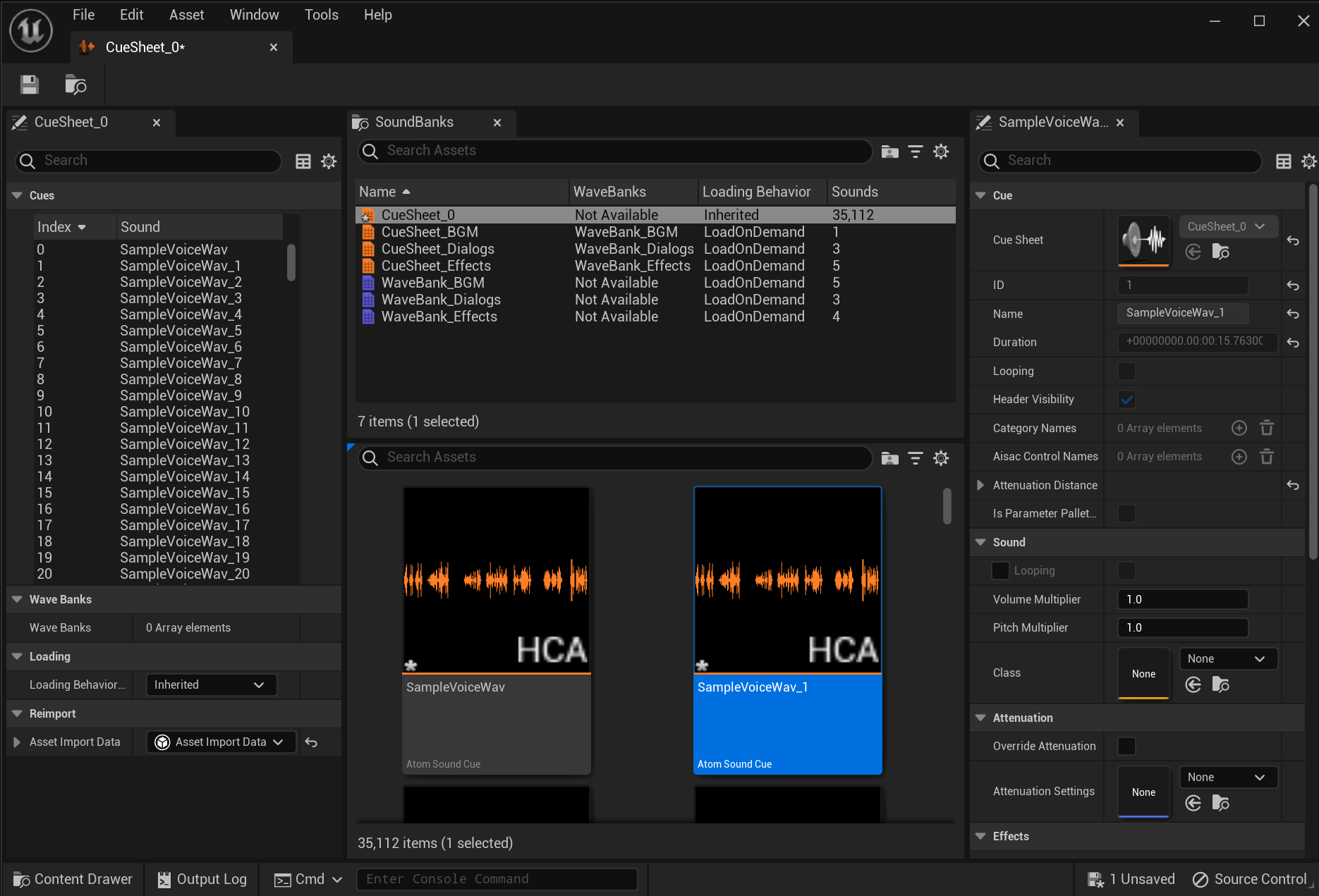
Some tabs are availables:
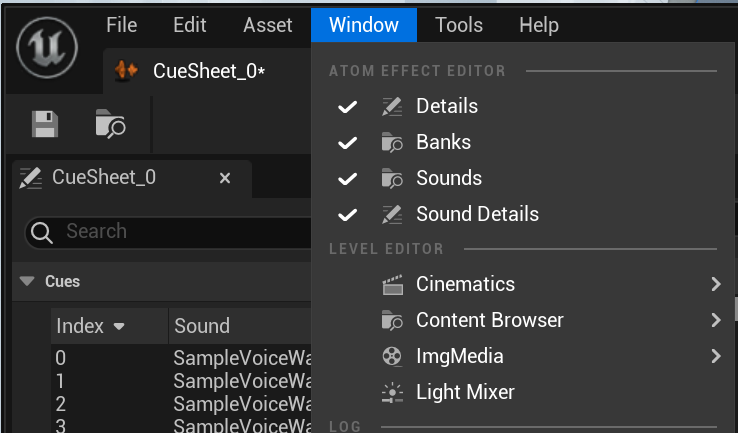
View a list of imported WaveBanks and CueSheets
The detail panel of the currently selected sound bank(s) in Banks tab.
Cue or Wave assets list of the selected asset(s) in the Banks tab.
View details of the selected Atom Sound(s) (Cue or Wave asset...).
You can search from Search Assets. This search function and Cue asset list can be used in the same way as the content browser.
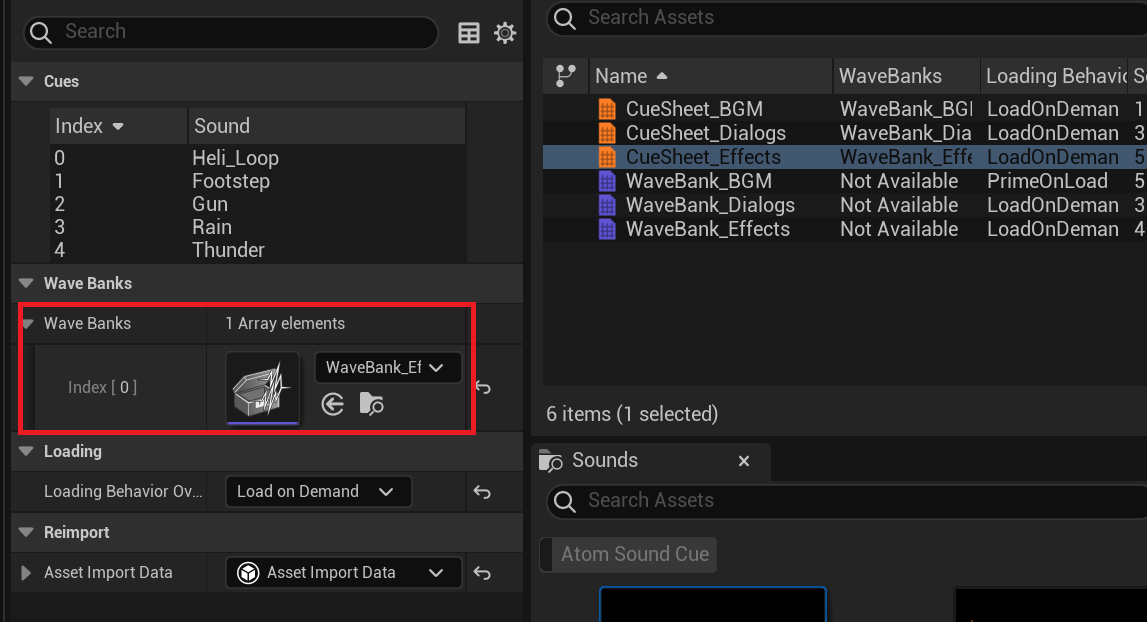
If the CueSheet contains a cue that performs streaming playback, a WaveBank asset must be specified.
Specify the corresponding WaveBank asset in "Wave Bank" in the CueSheet asset details (left side).
*If not specified, the cue that was streamed will not be played.
For information on specifying the sound loading method, please refer to the article Resource Lifetime.
Drag and drop the AtomSoundCue asset you want to place and it will be placed as an AtomAmbientSound actor.
When a parameter is change, a star mark will appear at the bottom left of the icon.
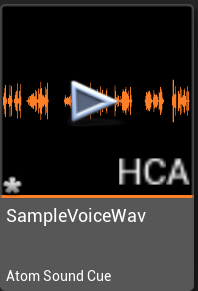
Since the Cue asset on CueSheet is a sub-object of the CueSheet package (.usasset), changing any the parameters of a Cue make the whole CueSheet and ist contained Atom Cues As dirty.

THIS SERVICE MAY CONTAIN TRANSLATIONS POWERED BY GOOGLE. GOOGLE DISCLAIMS ALL WARRANTIES RELATED TO THE TRANSLATIONS, EXPRESS OR IMPLIED, INCLUDING ANY WARRANTIES OF ACCURACY, RELIABILITY, AND ANY IMPLIED WARRANTIES OF MERCHANTABILITY, FITNESS FOR A PARTICULAR PURPOSE AND NONINFRINGEMENT.
 1.9.7
1.9.7